Buying Guides

Do I Need an AI Pet Feeder? Features Worth Paying For vs. Gimmicks

An honest guide to which AI feeder features are worth paying for, which are gimmicks, and who is better off with a basic timed feeder.

By Sam Kerrow Sam Kerrow Updated

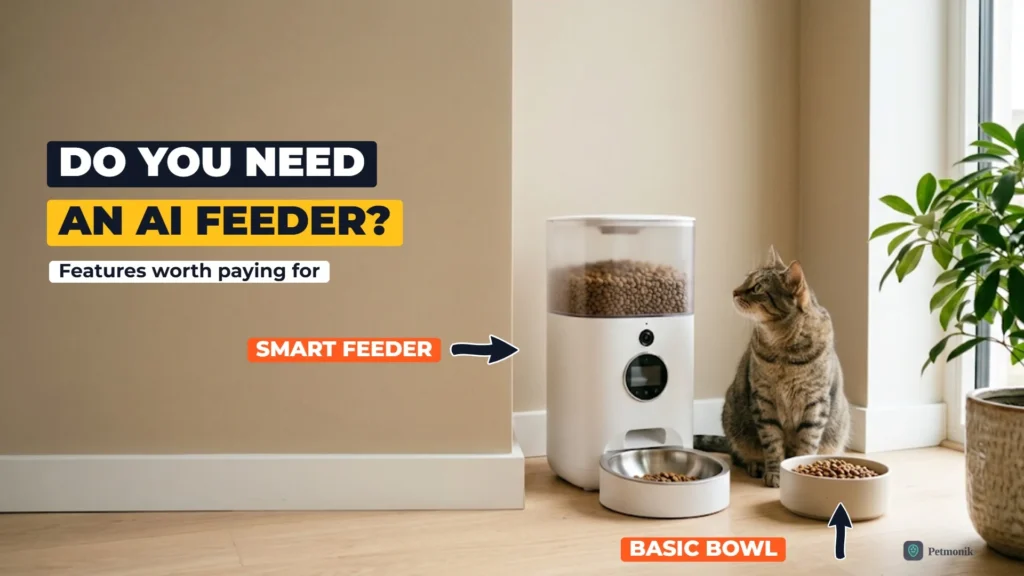
White smart pet feeder with a camera and display beside a plain ceramic bowl, with a tabby cat looking at them in a sunlit living room corner

If you’re asking “do I need an AI pet feeder?”, the honest answer for most homes is no — though for a few specific situations, it’s the most useful upgrade you can buy. A basic app-connected feeder costs under $100; add a camera and the word “AI,” and prices climb to $130–170, often with a subscription, while spec sheets pile on facial recognition, two-way audio, highlight reels, and voice control. This guide separates the features that actually change how your pet eats from the ones that just look good on the box.

Do I Need an AI Pet Feeder? What AI Actually Means

“Smart” and “AI” get used loosely. In practice, feeders fall into three tiers:

To see two AI feeders compared directly, read our head-to-head PETKIT YumShare vs Petlibro One RFID comparison.

  • Timed feeders dispense set portions at set times. App-connected models add remote control and alerts. Petlibro’s Granary WiFi feeder, for example, handles up to 10 meals a day, warns you about low food, blockages and low batteries, and has a battery backup. There’s no AI involved, and for many pets none is needed.
  • Camera feeders add a live view, usually with two-way audio and motion alerts. A camera on its own isn’t AI; you’re the one doing the watching.
  • AI camera feeders use software to recognise which pet is at the bowl and log that meal. The PETKIT YumShare Dual-hopper 2 uses facial recognition to tell apart up to 15 pets and takes before-and-after photos of the bowl. Petlibro’s Granary 2 series says its AI camera recognises each pet and logs every meal, and some models add a scale for gram-level intake tracking.

There’s one distinction that matters more than any other: recognition records who ate; it doesn’t stop anyone eating. PETKIT itself notes that its AI feeder doesn’t physically block other cats. The feeders that do control access are RFID or microchip selective feeders, which open a lid only for a registered pet. Most of them have no camera at all, but they belong in this decision because they solve a problem a camera can’t.
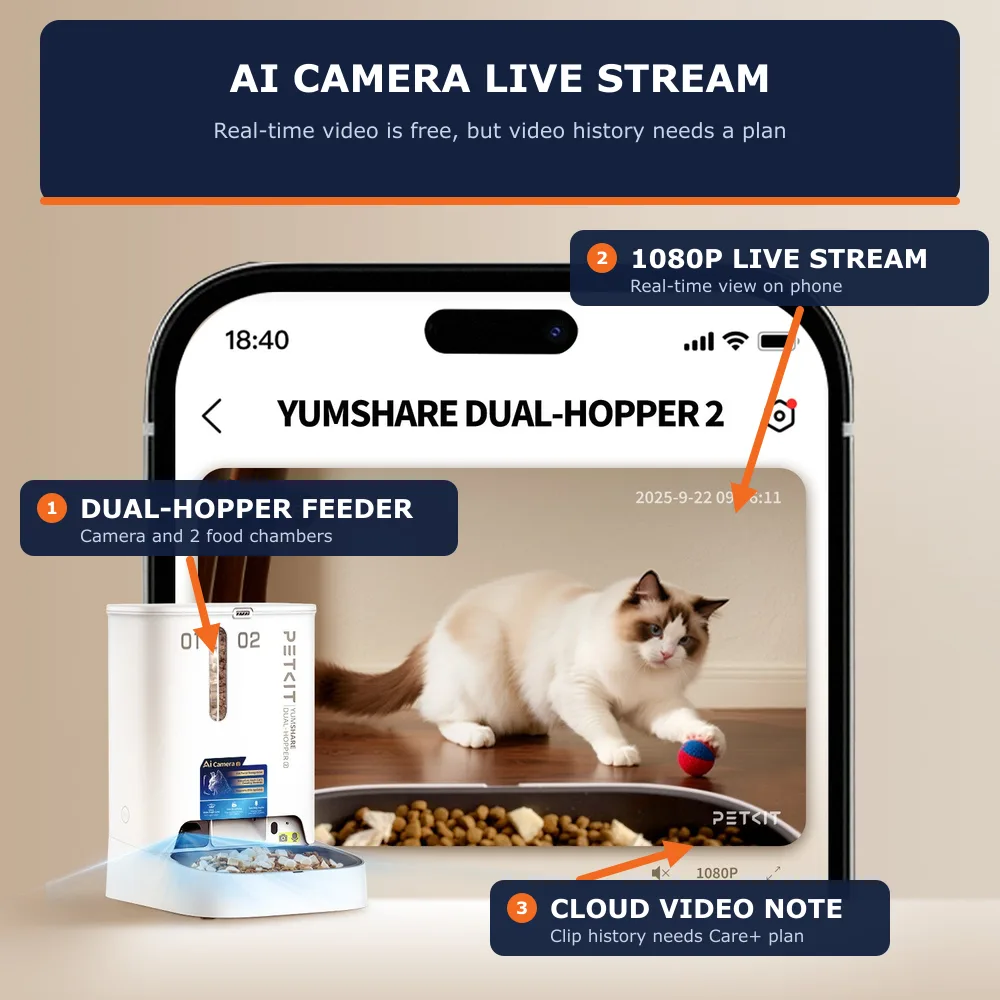
PETKIT YumShare Dual-hopper 2 smart feeder showing 1080p live camera monitoring stream on a smartphone
Source: PETKIT

Features Worth Paying For

Controlled access (RFID or microchip)

If your pets need different diets, this is the feature to pay for first. A selective feeder such as the Petlibro One RFID opens only for its paired collar tag, while microchip feeders like the SureFeed read the chip your pet already has. No amount of camera footage will keep a food thief out of a prescription bowl; a lid will.

Per-pet portion logging

A record of what each pet actually ate, with a time stamp, is the most practical thing AI adds. Changes in appetite are easy to miss day to day, and a log gives your vet dates and amounts instead of guesses. Feeders that weigh the bowl or photograph it before and after each meal tell you what was eaten, not just what was dispensed, which matters for slow or picky eaters.

Alerts you’ll act on

The alerts that earn their keep are the boring ones: low food, a jam or blockage, low battery and the feeder going offline. A jammed feeder means a missed meal, so a blockage alert is worth more than any camera feature. Appetite-change alerts are genuinely useful too, but check whether they’re free. On Petlibro, for example, change-in-eating-habit alerts sit in its paid Petlibro Care plan.

Before you buy, price the subscription. Video replay needs PETKIT’s Care+ plan once the trial ends, and Petlibro lists its video cloud plans at roughly $96 to $160 a year. Over three years, that can cost more than the feeder itself.

Features That Sound Good But Rarely Help

None of these are bad, but none of them justify paying more:

The same RFID recognition tech used for feeding also shows up in water fountains — see how it holds up in our smart water fountain RFID hydration tracking review.

  • Voice assistant control. Some feeders, including PETKIT and PetSafe Smart Feed models, have Alexa skills. But a schedule already feeds your pet on time, and a spoken “feed the cat” is mostly a way to add unplanned meals.
  • Treat dispensing and treat tossing. Fun for a week, then a source of calories nobody counts. VCA Animal Hospitals advises that treats make up no more than 10% of a cat’s daily calories, and remote treats make that harder to track.
  • Recorded meal calls and two-way audio. Some owners love them; many end up muting them. A sudden voice from a machine can also startle a nervous cat right at its food bowl.
  • 24/7 streaming and higher resolution. Most people watch constantly for a week, then rarely. A clear 1080p view is enough to see which pet is eating.
  • Highlight reels and daily “vlogs”. Entertaining, but usually tied to a subscription and unrelated to how your pet eats.
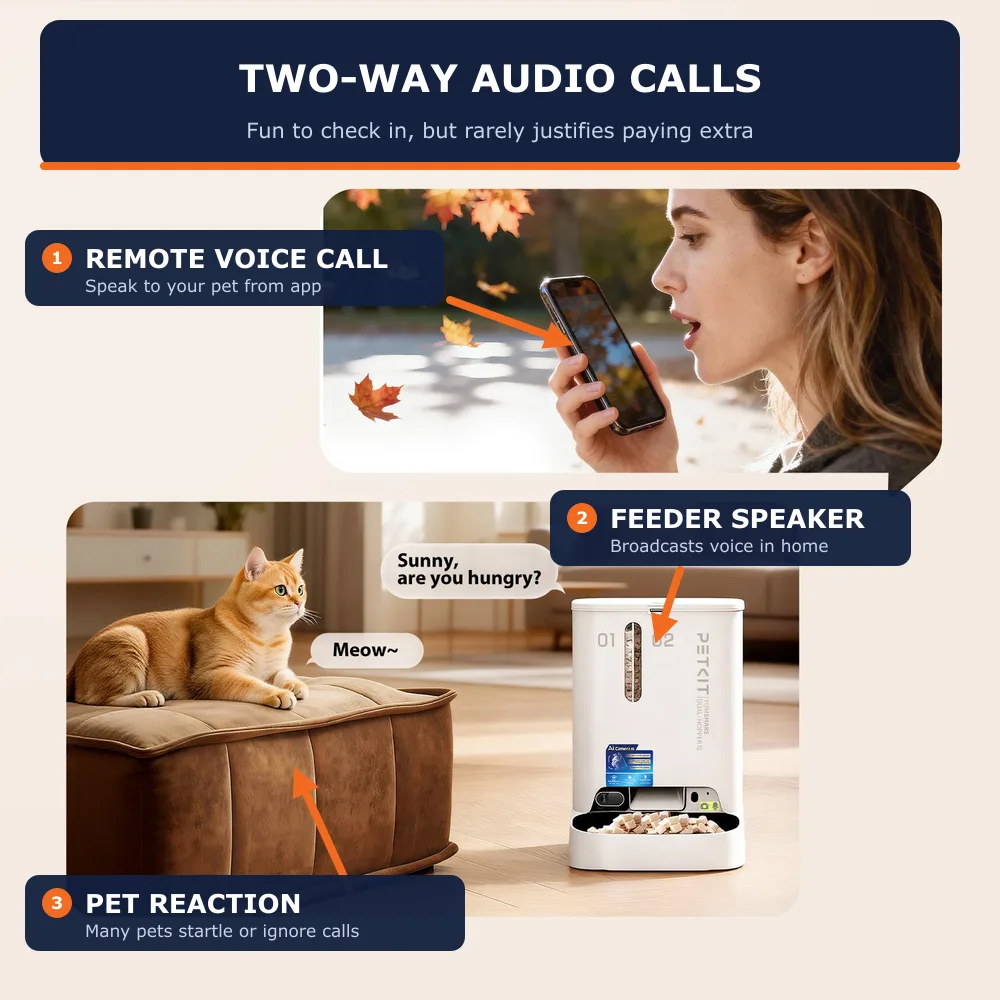
PETKIT smart feeder two-way audio feature showing remote voice call to cat from mobile app
Source: PETKIT

Who Actually Needs an AI Camera Feeder

  1. Step 1: The Multi-Pet Home

    Two or more pets share the feeding area, and you can’t tell who is eating what: one is gaining weight, another seems to be skipping meals, or bowls empty faster than they should. Per-pet recognition turns that guesswork into a log.

    1. Choose a feeder that recognises each pet by face or appearance and logs every visit, not just every dispense.
    2. Check how many pets it supports; the PETKIT Dual-hopper 2 lists up to 15.
    3. If one pet’s diet must be protected, not just observed, add an RFID or microchip selective feeder for that pet.
    4. Use the first two weeks of logs to find the pattern before changing anything else.
  2. Step 2: The Health-Watching Owner

    Your pet is older, on a weight-loss plan, or your vet has asked you to keep track of how much it eats. Here the value is in the data, so choose a feeder that measures what was eaten, not just what was dispensed.

    1. Look for a built-in scale or before-and-after bowl photos.
    2. Check which trend charts and appetite alerts are free and which need a subscription.
    3. Make sure you can export or screenshot the history to share with your vet.
    4. Keep weighing your pet regularly; feeder data complements weigh-ins, it doesn’t replace them.
  3. Step 3: The Owner Who's Away All Day

    You work long days or often stay out overnight, and a timed feeder alone leaves you wondering whether the meal actually dropped and whether your pet ate it. A camera gives you that confirmation.

    1. Prioritise jam and blockage alerts and a battery backup over camera resolution.
    2. Choose a model whose camera clearly shows the bowl, so you can confirm the meal was eaten.
    3. Test every feature on a weekend at home before relying on it.
    4. For anything longer than a night away, still arrange a sitter to check water, litter and your pet; a camera can’t refill a fountain.

Who Should Stick to a Basic Timed Feeder

A reliable timed feeder is the right buy for most homes, including:

  • One healthy pet with no diet restrictions, especially if you’re home most days.
  • Owners who mainly want to end the 5 a.m. wake-up calls. A schedule solves that; a camera adds nothing.
  • Anxious cats, which are often better off with a quiet feeder that has no speaker, lid or camera.
  • Anyone who doesn’t want another app or subscription. A feeder that works offline on a schedule has fewer things to go wrong.

What to look for instead of AI: a battery backup for power cuts, a jam or blockage alert if it’s app-connected, a sealed hopper to keep kibble fresh, and a stainless-steel bowl that comes apart for easy cleaning.

Our Verdict

Buy for the problem you have, not the feature list. Here’s where we land:

Your situationWhat we recommend
One healthy pet, you’re home most daysA basic timed feeder with battery backup
One healthy pet, long workdaysAn app-connected timed feeder with jam and low-food alerts; a camera is optional
Several pets on the same food, and you want to know who eats whatAn AI camera feeder with per-pet recognition
Several pets, one on a prescription or weight-loss dietAn RFID or microchip selective feeder first; add a camera only if you need records
A senior pet or one your vet wants monitoredAn AI camera feeder with a scale or before-and-after bowl photos
Trips longer than a nightAny reliable feeder plus a pet sitter

The bottom line: an AI camera feeder is worth it when you need to know what each pet actually eats. It isn’t worth it just to watch your pet eat. For everyone else, a well-built timed feeder does the job for far less. Petmonik will keep testing both; if your feeder surprised you either way, tell us through our contact page.

Frequently Asked Questions

Do I need an AI pet feeder?

For most homes, no. An AI camera feeder is worth it when you need to know what each pet actually eats: a multi-pet home where you can’t tell who eats what, an older pet or one your vet wants monitored, or long days away when you want confirmation a meal dropped and was eaten. Otherwise a well-built timed feeder does the job for far less.

What is the difference between a camera feeder and an AI camera feeder?

A camera feeder adds a live view, usually with two-way audio and motion alerts, but you do the watching. An AI camera feeder uses software to recognise which pet is at the bowl and log the meal. Recognition records who ate but doesn’t stop anyone eating; only RFID or microchip selective feeders control access.

Which smart feeder features are worth paying for?

Controlled access through RFID or microchip comes first if your pets need different diets. After that, per-pet portion logging, ideally from a scale or before-and-after bowl photos, and alerts you will act on: low food, jams or blockages, low battery and the feeder going offline.

Which AI feeder features are gimmicks?

Voice assistant control, treat dispensing and tossing, recorded meal calls and two-way audio, 24/7 streaming with higher resolution, and highlight reels rarely help. They aren’t bad, but none justify paying more. Remote treats also make it harder to keep treats within the 10% of daily calories that VCA Animal Hospitals advises for cats.

Do AI pet feeders need a subscription?

Some features do. Video replay needs PETKIT’s Care+ plan once the trial ends, Petlibro lists its video cloud plans at roughly $96 to $160 a year, and its change-in-eating-habit alerts sit in its paid Petlibro Care plan. Over three years a subscription can cost more than the feeder, so price it before you buy.

Sam Kerrow
Written by

Sam Kerrow

Lead Hardware & Pet Tech Editor

Sam Kerrow is the lead editor and smart pet technology researcher at Petmonik. Focusing on multi-pet households, RFID and AI selective feeders, smart hydration fountains, and pet telemetry data, Sam tests device reliability, firmware behavior, and practical troubleshooting for cat and dog owners.

Leave a Reply

Your email address will not be published. Required fields are marked *